Short answer: stretch only 9-slice panels (corners stay square, edges stretch), keep every size at or above twice the border, then skin Godot 4 with one theme file instead of hand-skinning every button. Takes about 15 minutes. The worked example is our own Game UI Kit Vol 1 (dungeon-pixel), and the free Vol 0 sample below is byte-identical to the paid files.
Guide date: 2026-09-28. Engines covered: Godot 4.x, Unity 2D, GameMaker. Engine docs: StyleBoxTexture (Godot 4) · Theme (Godot 4) · Unity Sprite Editor. Worked-example facts are our own pack files at products/game-dev-bundle/ui-kit-vol1/ (slug: ui-kit-vol1; judge PASS 2026-09-28); the recipe works on any seller's 9-slice set. Buyer search words: "game ui pack", "rpg inventory ui", "godot theme pixel".
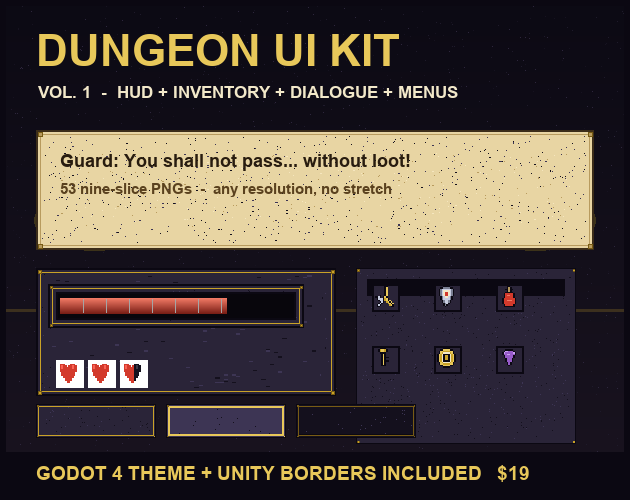
The real cover (630×500, vendored from the pack's preview/cover.png). Read the counts first: 53 nine-slice PNGs · 23 borders · Godot 4 theme + Unity table · $19 — then run the stretch check below before you pay for any UI pack.
The 3-step recipe
The stretch check: corners never warp. A flat PNG stretches everything, corners included — buttons turn to mush. A 9-slice file (*_9s.png) splits into 9 zones: 4 corners that never scale, 4 edges that stretch one way, 1 center that stretches both. The border number in assets/nine_slice.json (23 entries) is the corner size in pixels, and the rule is one line: minimum safe size = twice the border (a 16px border means 32px minimum on each side). Five kit panels, exact numbers:
Stretch limits for five kit panels (ui-kit-vol1 exact borders and source sizes)
Panel
Border
Source px
Minimum safe
hud/hud_panel_9s.png
16
96×96
32×32
menus/menu_panel_9s.png
16
384×320
32×32
dialogue/dialogue_box_9s.png
20
512×160
40×40
buttons-icons/small_button_normal_9s.png
10
160×48
20×20
inventory/slot_9s.png
8
48×48
16×16
Any UI seller that ships no border table is selling flat art — ask for the numbers before you pay.
The Godot recipe: one theme, 5 minutes. Copy the whole ui-kit-vol1 folder into your Godot 4 project (res://ui-kit-vol1/...), go Project Settings → GUI → Theme → Custom and pick godot/ui_kit_vol1_theme.tres (13 styles: panels, buttons incl. focus, ProgressBar, CheckBox, HSlider). Open godot/demo_hud.tscn and press Play: HP bar at 72 with skinned Attack/Defend buttons proves the wiring. Honest note: the theme is file-based text verified path-by-path (every texture resolves, margins equal the border table) — no Godot binary on our build PC, so the in-engine Play is your 5-minute check, not ours.
The Unity / anywhere recipe: same pixels, same corners. Import each PNG as a Sprite (2D and UI), set Mesh Type to Full Rect, and copy the Border L/B/R/T numbers from unity/UiKitVol1NineSlice.json (23 entries, 32 pixels per unit). GameMaker, Construct and web builds use the same files plus the same border numbers — that is the whole point of 9-slice: one art set, every engine, no re-export.
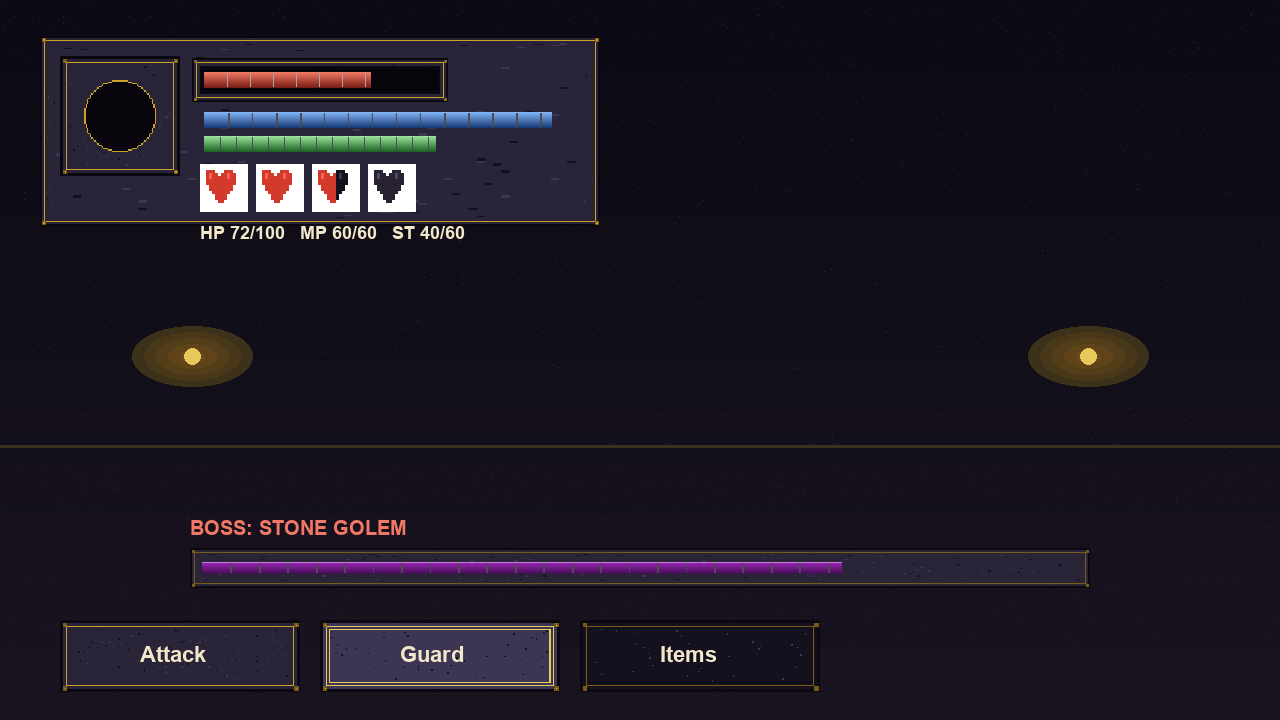
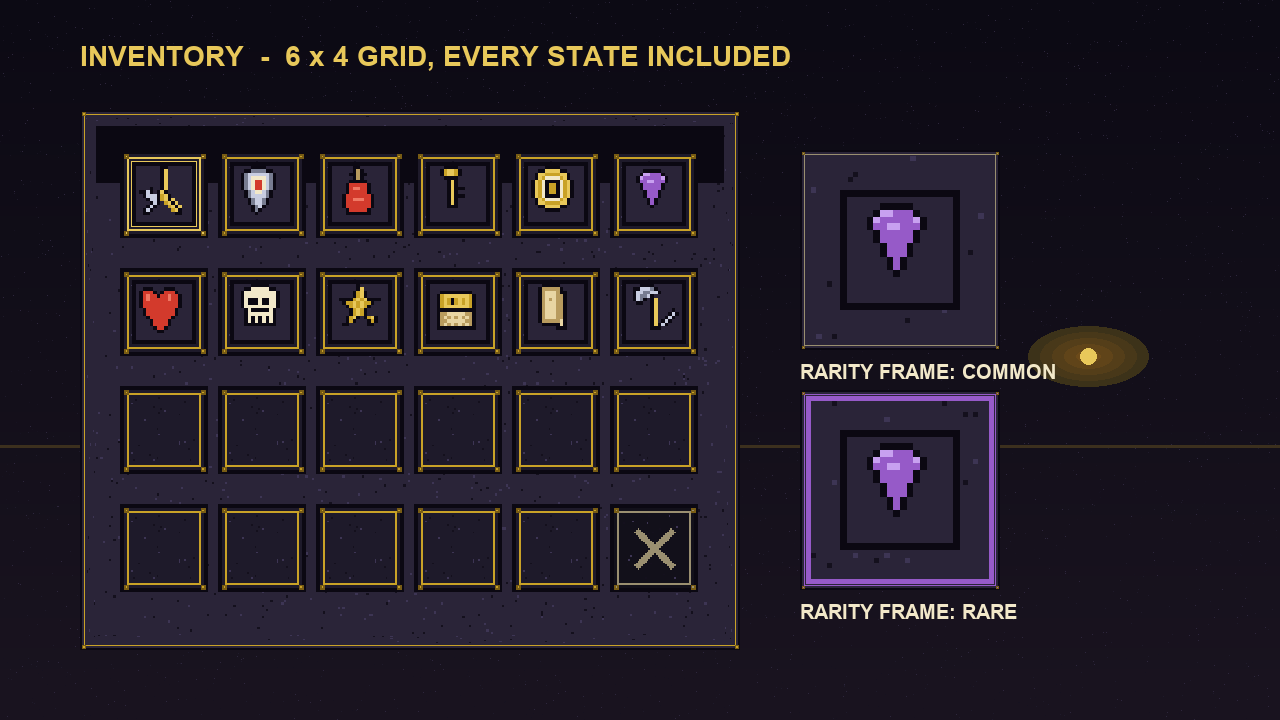
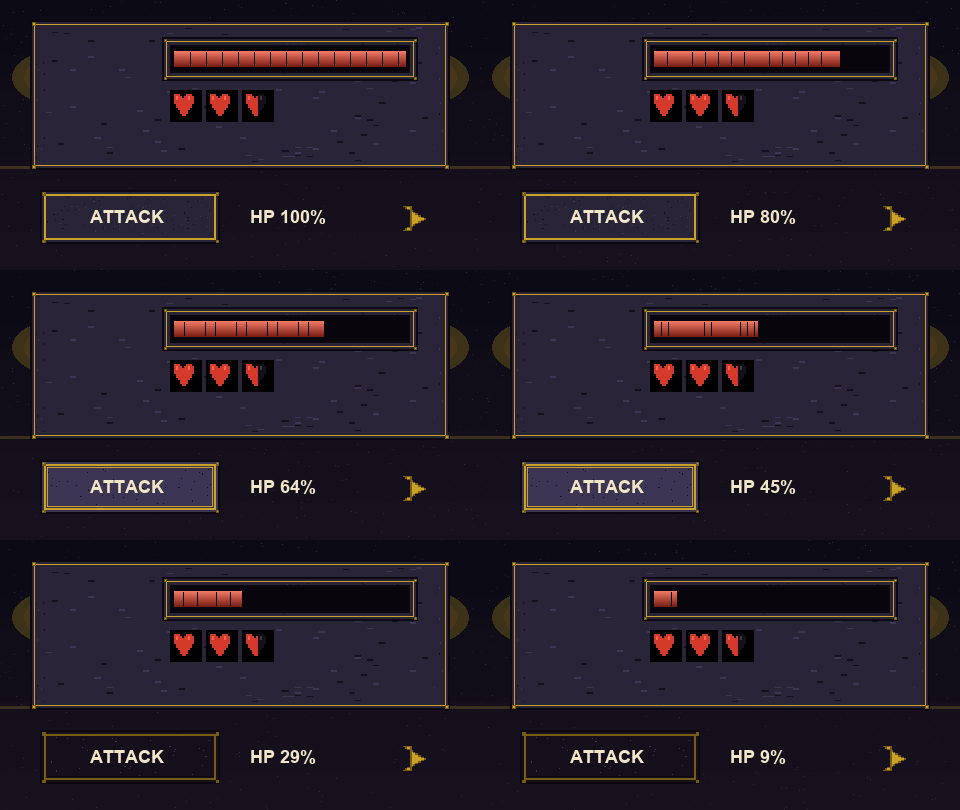
Proof the HUD works (shot-hud.png, vendored from the pack's preview/): portrait frame + HP/MP/ST bars with HP 72/100 + 4 heart states + boss bar + three skinned buttons — every pixel ships in the pack.Proof the inventory loop exists (shot-inventory.png, vendored from the pack's preview/): 6×4 grid with slotted icons, locked slot, COMMON vs RARE frames side by side.Real motion (demo.gif 480×270×24, vendored from the pack's preview/): HP drains 100→10 without warping, buttons cycle states, the dialogue arrow blinks.
Free helper: 9-slice size checker
Pick a panel, type the size you need. The helper checks it against the real border from nine_slice.json, tells you whether the corners survive, whether the free sample covers that panel, and gives you copy-paste Godot + Unity values. Everything runs locally — nothing leaves your device.
Related free tools
Palette Extractor — pull the exact dungeon-panel colors from a room shot so your UI matches your tiles.
Dungeon room that reads intentional — the companion recipe (matched sprites + tiles + sound + UI panel from Theme Kit Vol 1, the bundle path for this kit).